A new option to make your Loan Payments from an external account. Use your smartphone to text the payment to the Credit Union.
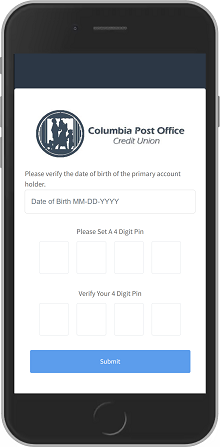
Verify Your Account :
You'll receive a text message that contains a link to a secure payment portal, where you'll look up and verify your account.
Create a 4 Digit PIN # :
After clicking the link provided in the initial message, you'll be prompted to create a PIN, which will be used for subsequent logins. (Important: Save this PIN)
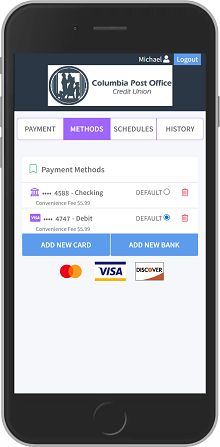
Add a Payment Method :
Once you've set your PIN, you'll be asked to add an external payment method(s) and select a 'default' option in you add multiple accounts. From Your Bank or other Credit Union Account.
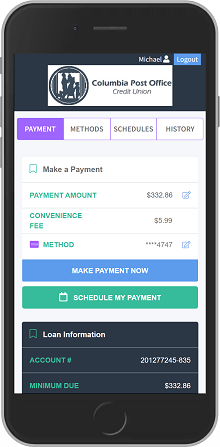
Make Payment :
After the payment method is added, you're ready to pay! Your loan information is shown on the Payment tab; when you select “Make Payment Now,” you'll be shown a confirmation screen to confirm the payment with the selected method.
Can I pay with a Credit Card :
No, Only from your Checking or Savings Account.